
E-FAT TAD Battery CheckUpdated 7 months ago
Brand: Sun Seeker / Model: E-FAT TAD / P/N: 670913
BATTERY CHECK PROTOCOL:
Attention Warehouse Team: Follow these steps to ensure the E-FAT TAD battery is functional before shipping.
1. Open Carton:
- Open the E-FAT TAD carton from the top by removing the staples and carefully lifting the lid. This should be done carefully to ensure the carton can be cleanly resealed.
- Locate and remove the inner carton containing the battery & rack assembly, and then remove the assembly from the carton
2. Power On the battery by pressing the vertical line symbol. Power off the battery by pressing the circle symbol.
- FYI, no need to remove the battery from the rack.
- If you find the power button already in the powered-on position, switch it to the off position, wait 10 seconds, and then power it on again
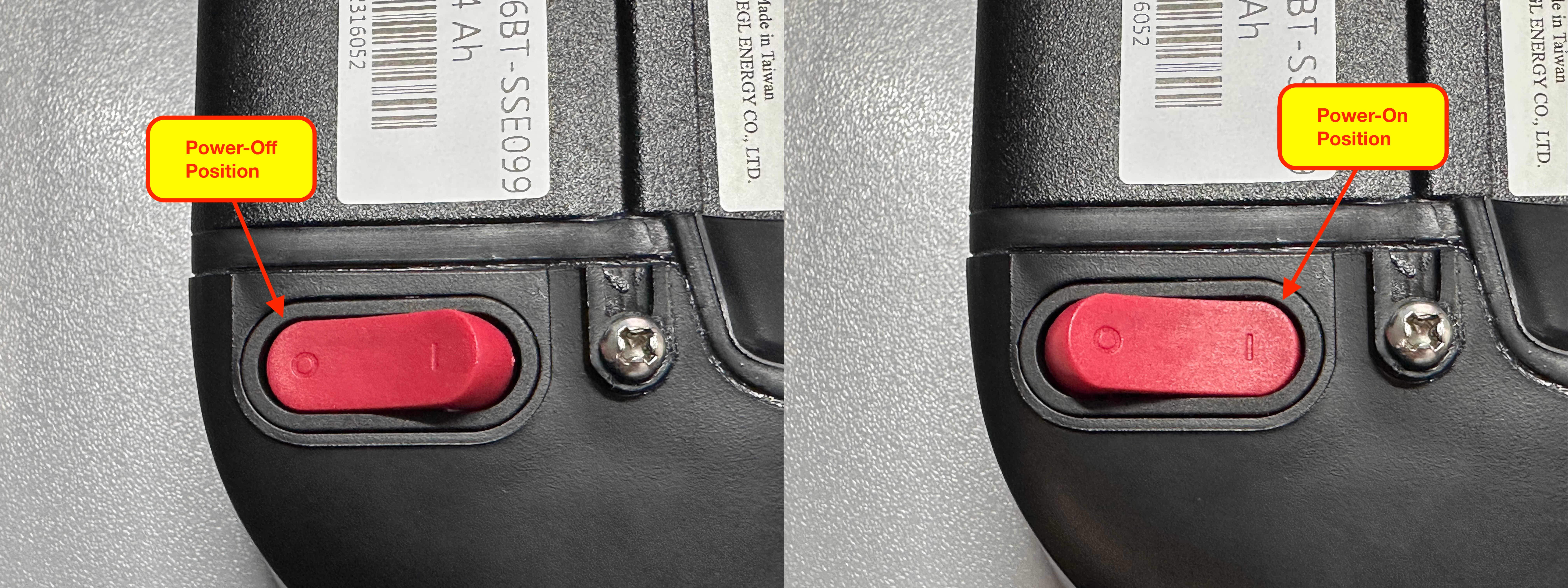
4. Check the State of Charge (SOC) by pressing the "SOC" button on the battery
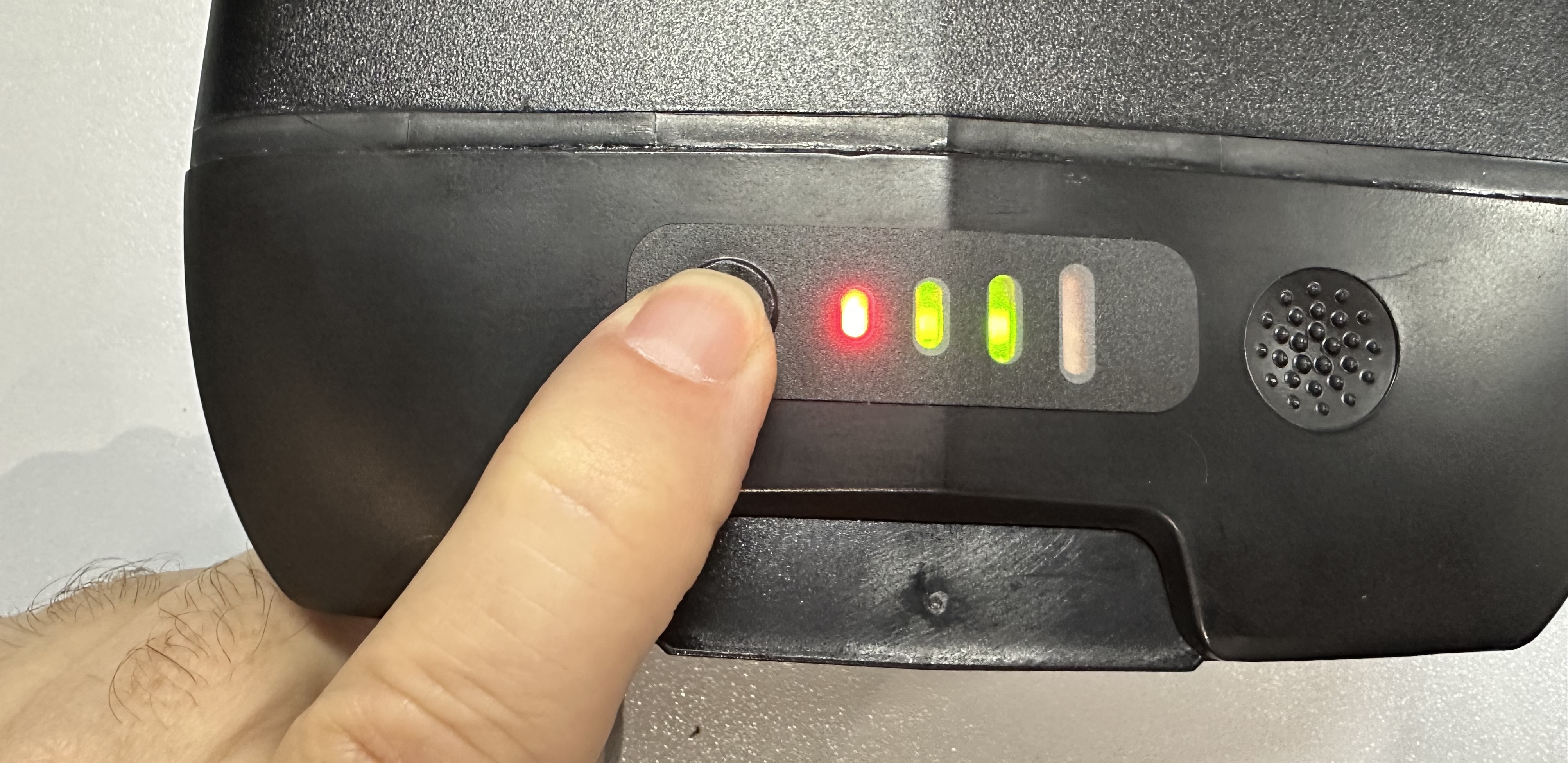
The state of charge is displayed with the four LED lights.

5. Troubleshooting: If the battery's charge state has dropped below 20%, no LEDs will light up. In this case, attempt to charge the battery with the included charger.
- When the charger is plugged into a working wall outlet, the LED on the charger will be green.
- When you connect the charger to the battery, the LED on the charger should change from green to red. This indicates the battery is actively charging.
- If the charger LED stays green, it may indicate that the battery voltage has dropped below a safe charging level and must be replaced.
6. Replacement: If the battery is not functioning, select another trike with a functional battery from stock.